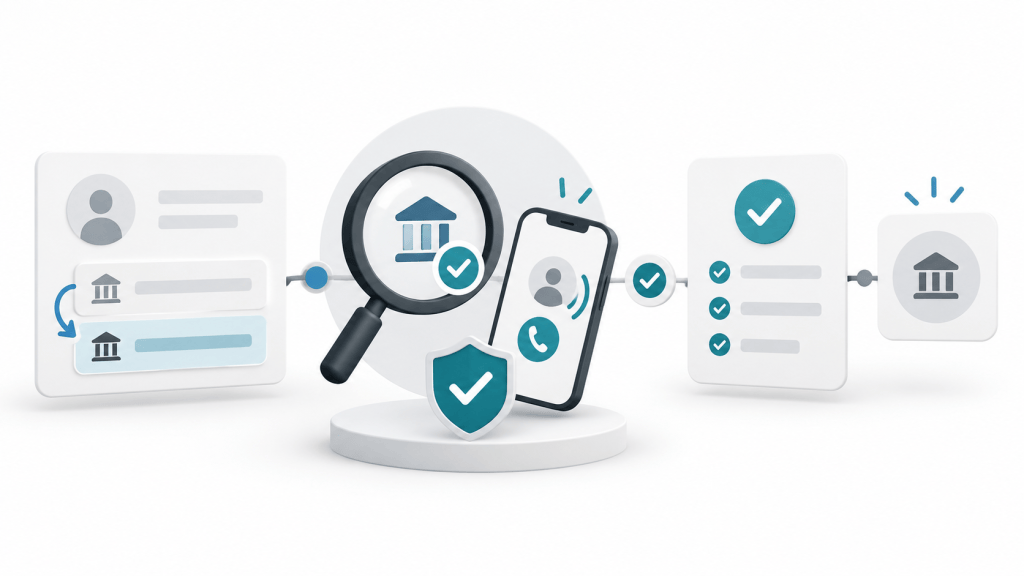
By Ammar Ashour
A supplier’s request to change bank details should remain pending until someone verifies it through a channel that did not come from the change request. Record who requested the change, who verified it, which trusted contact source was used, what evidence was reviewed, who approved the update, and which payment was affected.
That short record turns “we called the supplier” into a decision another reviewer can follow. It also gives a small business a clear answer when the request cannot be verified: do not update the supplier record or release payment to the new destination.
This article goes deeper than the bank-change check in AI Invoice Fraud: 7 Checks Before Your Business Pays. The workflow below is a practical proposal for United States small businesses, not an official FBI checklist or a complete fraud-prevention program.
Why a bank-detail change is its own approval event
A genuine invoice and a familiar supplier name do not prove that new payment instructions are legitimate. A criminal may compromise a real email account or imitate a trusted contact while directing money elsewhere.
The FBI’s Internet Crime Complaint Center guidance on business email compromise recommends using a secondary channel or two-factor authentication to verify requests for changes in account information with the intended recipient. It also advises checking the complete sender address. The guidance does not say that a convincing message, a matching invoice amount, or a callback to a number inside the request is sufficient verification.
An earlier FBI public service announcement on generative AI and financial fraud, dated December 3, 2024, explains that AI can help criminals create believable text and impersonate people through synthetic audio and video. Because the content itself may be persuasive, the verification process should not depend on grammar, tone, or a familiar-sounding voice.
A six-step supplier bank-change workflow
1. Capture the request without changing the supplier record
Place the request in a pending queue. Record the date, time, channel, apparent sender, supplier name, affected invoice or payment, and the old and proposed payment destinations using masked details. Preserve the original message or document in the authorized system.
Do not overwrite the existing bank details while verification is incomplete. A clean separation between the request and the approved supplier record makes it easier to investigate a disputed change.
2. Confirm the business obligation
Check that the supplier relationship, purchase, invoice, amount, and payment timing belong to the business. This answers whether the obligation appears valid. It does not verify ownership of the proposed receiving account, so the workflow must continue even when the invoice itself matches.
3. Start an independent verification
Contact the supplier using information that was trusted before the change request. Examples include a verified vendor-master contact, a signed contract, an established supplier portal, or a telephone number independently obtained from the organization’s official public presence. Do not use only the phone number, reply address, or link supplied in the message requesting the change.
Ask the authorized supplier contact to confirm that a change was requested, the effective date, and the proposed destination. Record the source of the contact information and the person reached. A missed call or unanswered message is not a confirmation.
4. Complete the verification record
Use a consistent record rather than an unstructured note. The fields below can be copied into a form, ticket, or vendor-change log.
| Field | What to record |
|---|---|
| Supplier | Legal or established business name and internal supplier ID. |
| Request received | Date, time, channel, apparent sender, and original evidence location. |
| Change requested | Masked old and proposed payment destinations and requested effective date. |
| Affected payment | Invoice or payment reference, amount, and planned payment date. |
| Business support | Purchase order, contract, invoice, receipt of goods or services, or other approval checked. |
| Independent contact source | Where the trusted phone number, portal, or contact information came from. |
| Verification | Name and role of the person reached, date and time, channel, and what was confirmed. |
| Exception | Anything inconsistent, unavailable, urgent, or unresolved. |
| Decision | Approved, rejected, or held pending more evidence. |
| Internal owners | Request preparer, verifier, approver, supplier-record updater, and payment approver. |
| System evidence | Date the approved update was entered, reviewer, and audit or ticket reference. |
| Follow-up | First affected payment reference and result of the subsequent review. |
5. Approve the change before updating the master record
Where staffing permits, separate verification, supplier-record maintenance, and payment approval. For a very small business, document an owner’s review of the verification evidence before the same person changes the record and later releases the payment.
NIST’s Cybersecurity Framework 2.0, published February 26, 2024, describes governance outcomes that include roles, responsibilities, authorities, policy, and oversight. The framework is flexible and does not prescribe this supplier workflow. It supports the broader principle that responsibilities and decision authority should be made explicit.
Update the supplier record only after the approval is recorded. Limit who can edit payment destinations, and use the AI accounting software permissions checklist when a connected tool can read or change supplier information.
6. Review the first affected payment and keep the evidence together
Before releasing the first payment to the updated destination, have the payment approver compare the supplier, invoice, amount, approved change record, and payee details. Keep the verification record, approval, supplier-master update reference, and payment reference together in the authorized system.
After the payment appears in the bank activity, reconcile it to the approved payment record. This follow-up does not prove that the original verification was correct, but it completes the internal trail from request through payment and review.
How to handle common exceptions
| Exception | Suggested response |
|---|---|
| No trusted contact can be reached. | Keep the change and affected payment on hold; escalate to the supplier-relationship owner. |
| All contact details came with the request. | Find an independent source before treating the request as verified. |
| The supplier denies requesting the change. | Reject the update, preserve evidence, and notify the appropriate internal security contact. |
| The invoice is valid but the new destination is unclear. | Separate the conclusions: the obligation may be valid while the bank change remains unapproved. |
| Supplier contacts give conflicting answers. | Hold the change and seek authoritative confirmation through the established relationship. |
What AI can prepare—and what it cannot verify
An approved AI tool may help extract a proposed account change, compare it with the current supplier record, populate a pending form, or flag missing fields. Those steps can make the request easier to review. They do not independently establish that the person requesting the change is authorized or that the receiving account belongs to the supplier.
Do not ask an AI assistant to infer legitimacy from polished language, a familiar signature, or an apparent voice match. Keep the tool away from payment authority during an initial pilot. Require a person to perform and document the independent verification and approval.
Fictional example: a legitimate change with a complete record
Hypothetical example: Pine Street Equipment sends a request to change the bank destination for a $7,650 invoice. The invoice matches the purchase record, but the accounts-payable preparer leaves the existing supplier details unchanged and opens a pending verification record.
The verifier uses the phone number stored in the supplier master before the request arrived. An authorized supplier contact confirms the change and its effective date. The verifier records the contact source, person reached, time, masked destination, and supporting supplier-portal notice. The owner approves the change, an authorized user updates the master record, and a second review compares the first affected payment with the approved change record.
This example is invented to show the workflow. It is not a client case and does not establish that these steps prevent every fraud.
If money was sent to the wrong destination
Act promptly. IC3 advises contacting the originating financial institution as soon as fraud is recognized to request a recall or reversal, and filing a detailed complaint with IC3. Preserve the messages, verification notes, transaction details, and account information requested by the bank or investigators. A recall request does not guarantee recovery.
Your next payment-run exercise
Select one recent supplier bank-detail change and try to complete every field in the verification record. If you cannot identify the trusted contact source, verifier, approval, system update, and first affected payment, treat that gap as a process improvement item before the next change request arrives.
Sources checked October 13, 2026. General educational guidance for United States small-business payment workflows, not legal, banking, cybersecurity, or accounting advice. Cover image: AI generated editorial illustration.

